Parks on the Air is one of the most joyful things you can do with a radio — whether you're the one activating a park or the one chasing it. The operating is the easy part. The bookkeeping is the drag: which parks have I worked, which do I still need, what's on the air right now that's actually worth chasing, and — when I activate — how do I get my log where it needs to go without a pile of busywork afterward? This post is about handing all of that off, and making quick work of both sides of the hobby.
The short version: DxQSO watches your logbook, keeps your POTA totals current, and gives you a personalized, live picture of the parks you still need — including the ones on the air this minute. And when you're the activator, it captures your contacts from the field and tags them with the park for you. Here's how it works.
What POTA tracking actually has to keep straight
POTA looks simple until you try to keep score of it. There are two roles, and they count separately. When you put a park on the air, you're the activator. When you work someone else who's doing that, you're the hunter. The same park can be one, the other, or both over time, and your progress toward POTA's awards depends on getting that distinction right — contact by contact.
Then there's the reference problem. Every park has an identifier, but they're written differently depending on region and on which logging app stamped them. If you want an honest count of unique parks, something has to line all of that up. Do it by hand and you're squinting at exports; do it once a month and your picture is always a month stale.
The old way: export, import, and hope nothing got lost
Here's the routine most activators know. You log the activation in a field app on your phone or tablet. Then, at some point later — maybe that night, maybe next week — you export the QSOs and import them into your logging program at home. It's an administrative chore, and it's the step where things go wrong: a batch gets skipped, a file gets imported twice, an entire park's worth of contacts quietly goes missing. And that's before you've gotten the same log to LoTW, to QRZ, and up to the POTA site — usually by emailing ADIF files to yourself or shuttling them through Dropbox.
The better way: get it into DxQSO once
DxQSO turns that shuffle into a single on-ramp. Get your contacts into DxQSO once — the import dedupes as it goes, so nothing doubles up and nothing slips through — and from there DxQSO does the distributing: up to LoTW and QRZ right away, and down into your home logger and the POTA site whenever you're ready, with no ADIF to email and no Dropbox to wrangle. (More on exactly how, below.)
And because your contacts now live in DxQSO, it keeps your POTA score for you: every one sorted into hunter or activator, park references normalized, and your existing log read back so your totals are complete from day one. No spreadsheet, no monthly reconcile.
This is what “ham radio that knows you” means in practice: the scorekeeping comes to you, instead of you chasing it after every outing.
Hunting: the parks you need, on the air right now
This is where the DxSocial dashboard earns its keep for hunters. You'll find it — and its POTA widgets — both on the web and in the DxQSO mobile app, so it's with you at the desk or out in the field. Two widgets work off the live POTA spot feed:
- POTA Parks Spotted — every park being activated right now, with the ones you've already worked flagged, so the full picture is in front of you.
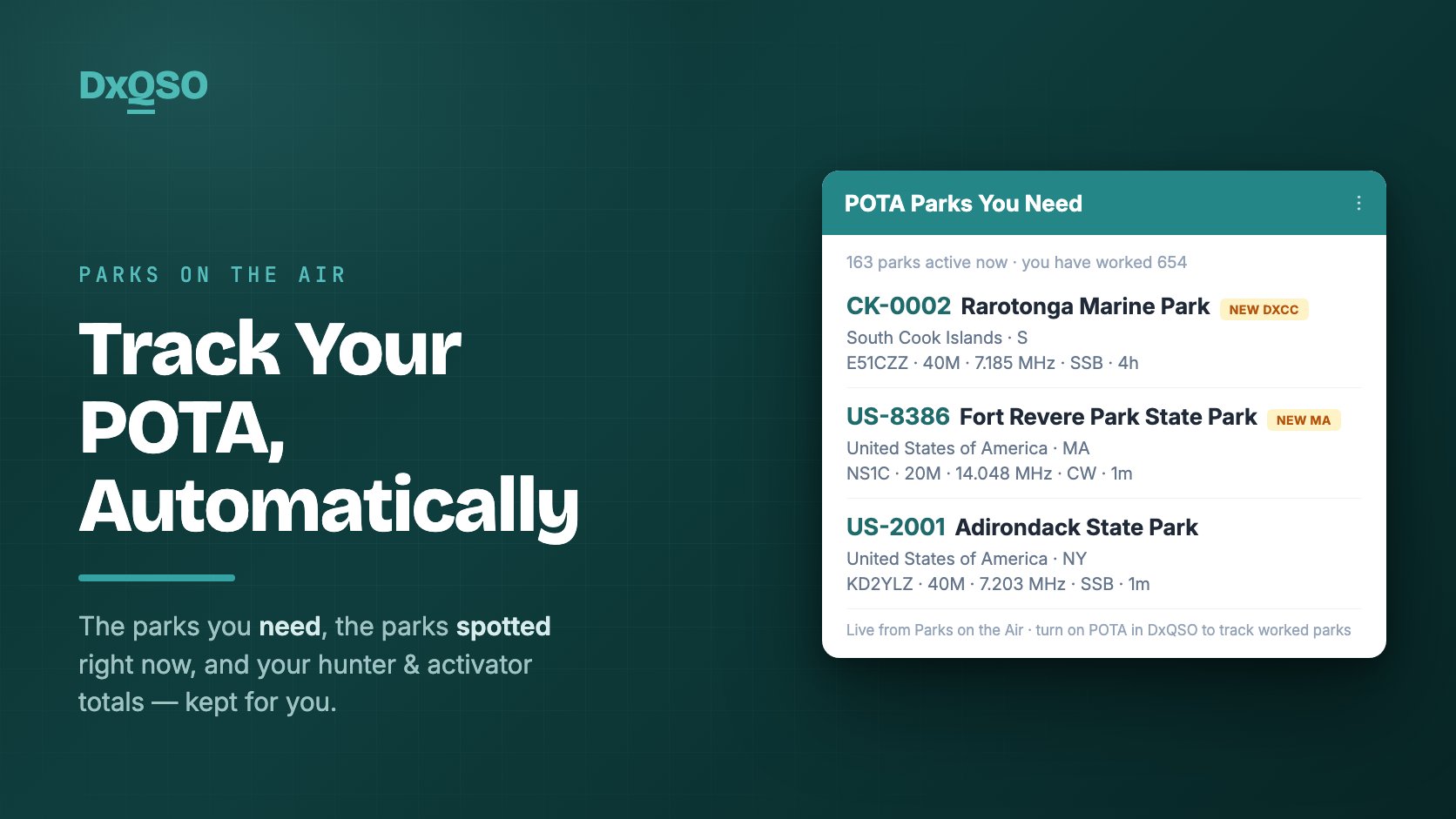
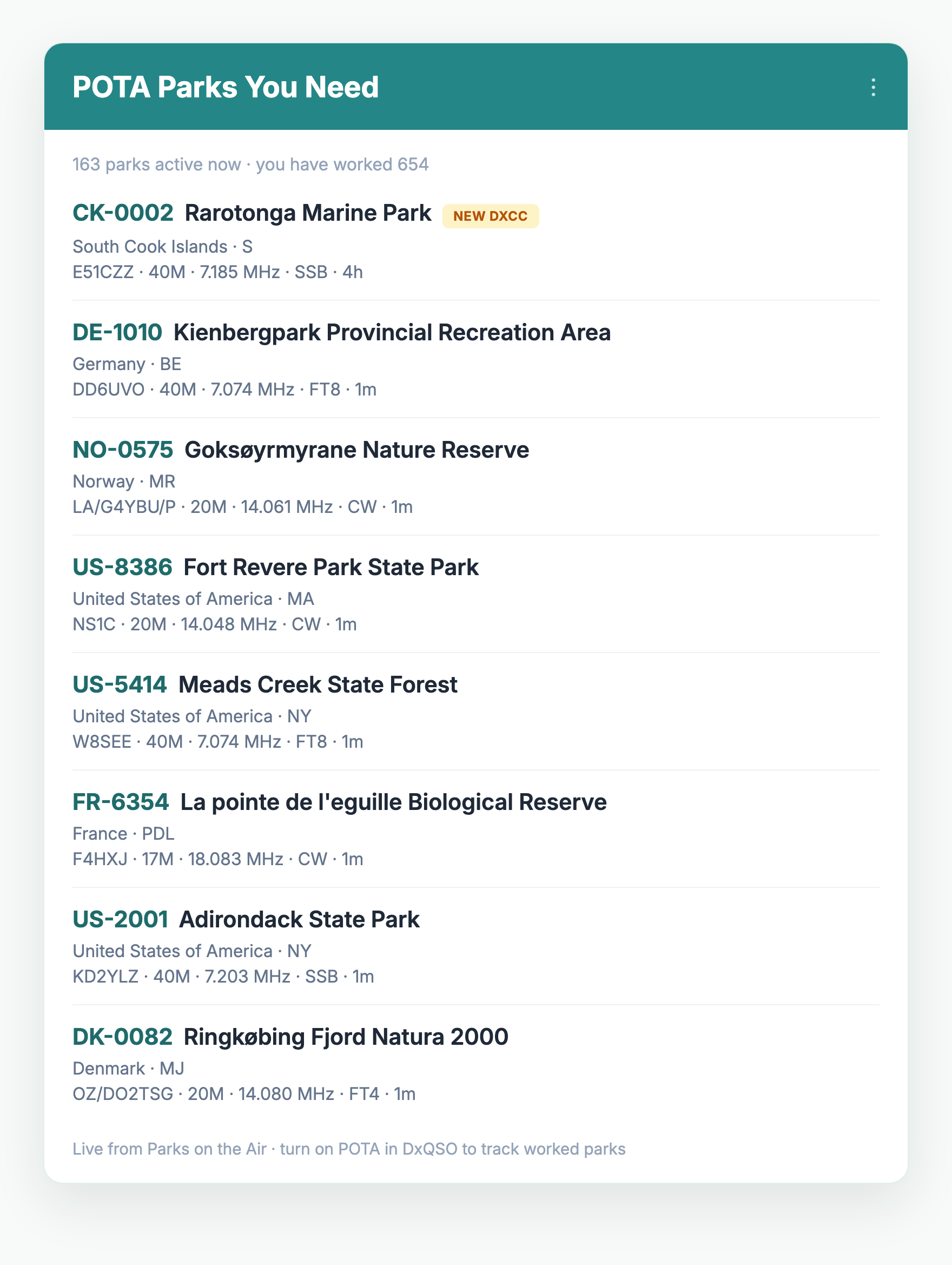
- POTA Parks You Need — the same live spots, narrowed to only the parks you still need: your personal to-do list of activations worth chasing this minute.
Both go beyond the park itself. Each one flags when a spotted park also counts toward a new DXCC entity or a state you need — so you can see at a glance when a single contact is worth more than a park. And both can be filtered by band and to US and Canadian spots only, so you're looking at exactly the activations you can use, on the bands you're working. Each spot lists the callsign, band, frequency, mode, and how long ago it popped up, so you can size up a contact before you even tune. You glance at your phone, see a park you need is on the air, and go work it. Spot to contact in seconds, no homework.
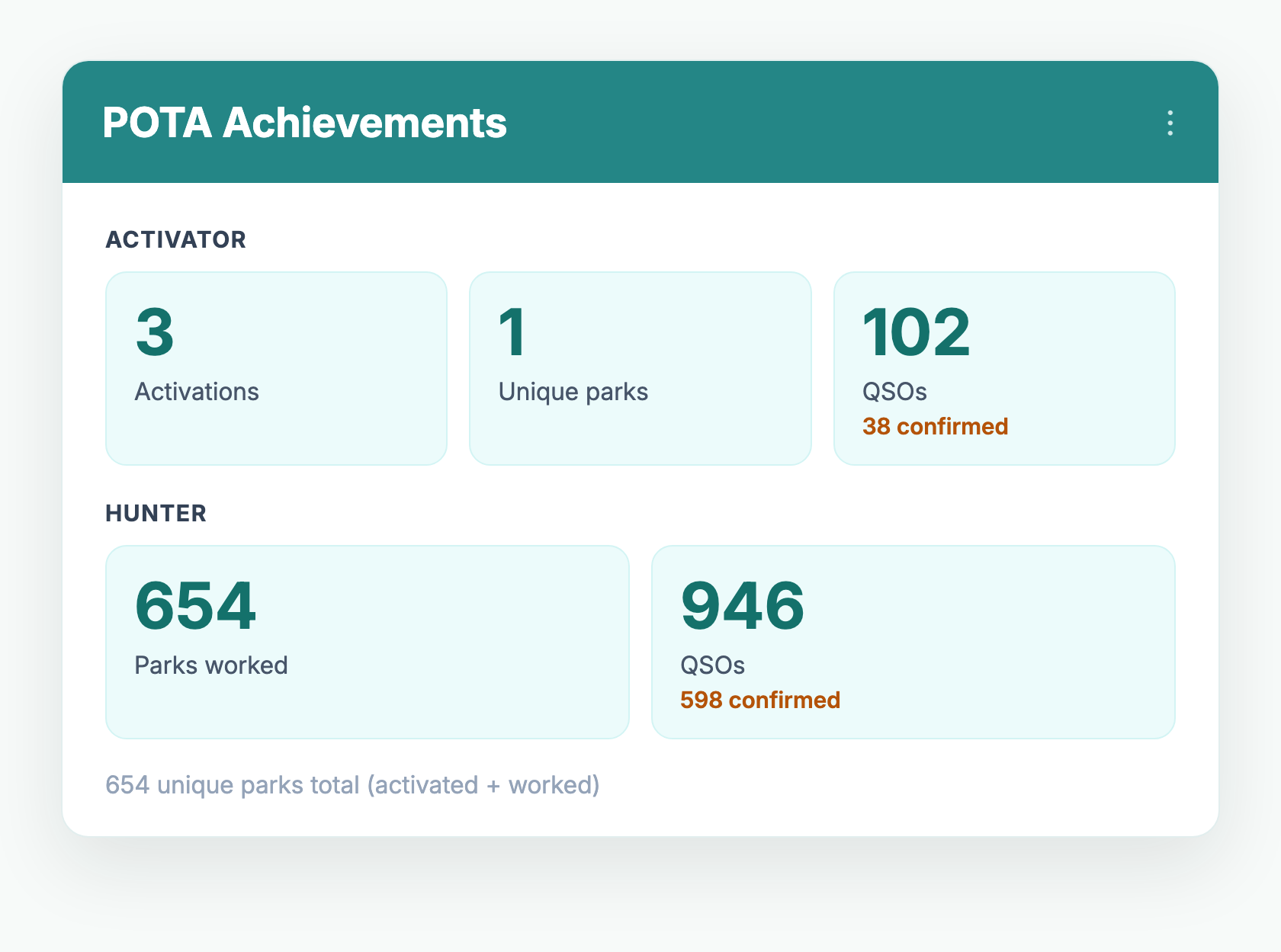
Sitting right alongside them, your POTA Achievements — your running hunter and activator totals, with confirmed counts — update themselves as new contacts land. The whole picture, personalized to you, in one place.
Activating: log it once, from the field
When you're the one putting a park on the air, DxQSO's job is to get your contacts off the picnic table and into your record with as little fuss as possible — without changing how you like to log. There are two easy paths:
- Real time, as you work them. If you run a logger that speaks the N1MM UDP protocol — SmartSDR, SDR Control, and other compatible apps — our Network Listener captures each contact the instant you log it and uploads it to your cloud logbook in real time. Your activation builds itself in DxQSO while you're still calling CQ.
- ADIF upload from your phone. Prefer a field logger like HAMRS? While you're still wrapping up, upload your whole field log straight from the DxQSO mobile app — the import dedupes as it goes, so you never have to worry about overlapping with contacts already in your record. Either way, DxQSO pushes your contacts up to LoTW and QRZ right away, so everyone waiting on your activation can confirm before you've packed the antenna.
Give each park its own Station. Here's the trick that makes activating almost effortless. DxQSO lets you save reusable Stations, and a Station can belong to a specific park. Create one for, say, US-4578, save the park reference into it once, and every contact you log under that Station automatically carries the park — the fields POTA needs — with nothing extra to type. Activate the same park often, and it's a two-second selection; head somewhere new, and a fresh Station has you set.
And when you get home
Your DxQSO record is a round-trip hub, not a dead end — and the trip home is where the old file-shuffle disappears. Because your QSOs are already safe in DxQSO and already on their way to LoTW and QRZ, there's nothing urgent left to do. Whenever it suits you, download them into your favorite logging program and submit them to the POTA site — no ADIF emailed to yourself, no Dropbox, no re-keying, and no fear that a park got left behind. Capture in the field, confirm through LoTW and QRZ, and bring it all home on your own schedule.
POTA is a team sport — so it's a club feature too
Half the fun of POTA is doing it together: a group heads out for a multi-park weekend, or a challenge runs all month. So the club dashboard has a POTA leaderboard alongside the DXCC, activity, and Field Day boards. Everyone sees how the group is doing without anyone tallying it up by hand.
And if you build apps, it's in the API
Because DxQSO is a platform, not a walled garden, the same POTA intelligence is available through our public API — the parks you need, the parks being spotted, and your achievements — so the loggers and field apps you already use can build on it. Open by design, the way the rest of DxQSO works.
How to turn on POTA tracking
Start to finish, this takes a few minutes:
- Create a free DxQSO account at dxqso.net.
- Connect your logbooks — LoTW, QRZ, or an ADIF upload of your field log. DxQSO starts reading your contacts right away.
- Switch on POTA tracking in your profile preferences. DxQSO runs its one-time pass over your whole log and builds your park totals.
- Open your dashboard — on the web or in the mobile app — and keep operating exactly as you do now. Your POTA Parks You Need, POTA Parks Spotted, and achievements stay current on their own.
- Activating a park? Set up a Station with its park reference, and every contact you log there — captured live by the Network Listener or uploaded later from the app — is tagged with the park automatically.
That's it. The next time you sit down to chase a park, you'll already know which ones you need — and which are on the air right now.
Common questions
How do I know which parks to hunt right now?
Two DxSocial dashboard widgets run off the live POTA spot feed. POTA Parks Spotted shows every park on the air right now and flags the ones you've already worked; POTA Parks You Need shows only the spots you still need. Both flag spots that also count toward a new DXCC entity or state, and both filter by band and to US and Canadian spots only.
How do I log a POTA activation from the field?
Two ways. If your logger speaks the N1MM UDP protocol, DxQSO's Network Listener uploads each contact to your cloud logbook in real time as you make it. Or log in any field app and upload the ADIF from the DxQSO mobile app when you're done. From there DxQSO can forward everything to LoTW and QRZ.
Do I have to type the park reference on every contact?
No. Save a DxQSO Station for the park with its reference stored once, and every contact you log under that Station is tagged with the park automatically — nothing extra to enter per QSO.
Can I get my contacts back into my desktop logger and the POTA site?
Yes. DxQSO is a round-trip hub — whenever it suits you, download your contacts into your favorite logging program and submit them to the POTA site, with no ADIF to email and no Dropbox. Your desktop log stays complete without re-keying anything, and the import dedupes so nothing doubles up.
Do I have to re-import my old activations and hunts?
No. When you switch POTA tracking on, DxQSO makes a one-time pass over your entire logbook and finds every park contact you've ever made — activations and hunts alike. You don't import anything or start over.
Is POTA tracking free?
Yes. Connecting your logbooks and turning on POTA tracking is part of the DxQSO free tier. You can be up and running today at no cost.
I've watched POTA turn a quiet Saturday into a two-hour pileup, and I've watched operators lose the thread of what they'd actually worked because the tracking was too much hassle. It shouldn't be. Turn it on once, and let your parks keep their own score.
73,
Steve, N1EZ