Ham Logging, a Logbook App Packed With Features, Now Syncs With DxQSO
Oct 29, 2026 · Steve Berry, N1EZ
Every so often a developer gets in touch who has clearly thought hard about how operators actually work. Yousuf AL Balushi, A41UX, is one of them. Under his Unixeer name he builds Ham Logging, a logbook app for iPhone, iPad and Android, and as of its current release Ham Logging syncs with DxQSO. I’m very glad to welcome it as a DxQSO logging partner.
A remarkable logbook app
If you haven’t tried Ham Logging, it is worth a look on its own merits. It is free, it keeps one log across iOS and Android, and it packs in far more than you would expect from a phone app:
- Full QSO entry with the whole ADIF field set, UTC pickers that hold across “Save & Next”, and a catalogue of more than 100 satellites that fills in band and frequency for you.
- Rover Mode: big buttons and voice-dictated callsigns for logging on the move, with a heads-up when you’ve worked a station before.
- Rig control (experimental) over the network, USB or Bluetooth, and it can follow N1MM Logger+ or WSJT-X over UDP.
- Callsign lookup from QRZ.com and HamQTH that fills in your contacts automatically.
- Sync with 15 logging services, including LoTW®, QRZ.com, eQSL, Club Log and now DxQSO, plus ready-made files for POTA, SOTA, WWFF and contests. It can even sign LoTW uploads on the phone with your own callsign certificate.
- Spots and activations: DX cluster, POTA, SOTA, WWFF, GMA, contest and RBN spots in one view, and you can announce your own activations from the field.
- Propagation and maps: a worked-grid map with great-circle paths, gray line, aurora overlay, MUF forecasts and space-weather gauges, and a live APRS layer.
- The finishing touches: themed QSL cards, monthly and yearly statistics, ADIF 3.1.8, CSV and JSON import and export, and dark mode.
It is also private by design: no ads, no tracking, and your log stays on your phone and goes only to the services you set up. And Yousuf ships quickly; there have been several releases in October alone.
Get it on the App Store Get it on Google Play
You can read more about Ham Logging, and Yousuf’s other apps, at unixeer.com.
What DxQSO Sync does
DxQSO arrived in Ham Logging 2.3 and is in the current release. It is a true two-way sync:
- Sync To DxQSO sends your new contacts, and your edits and deletions too, so the record in DxQSO stays in step with the log on your phone.
- Sync From DxQSO brings your contacts back, including the confirmations DxQSO has pulled from LoTW and QRZ. A contact confirmed on LoTW or QRZ shows as confirmed in Ham Logging.
- Auto Sync, if you switch it on, sends what you log a few minutes later, so you don’t have to remember.
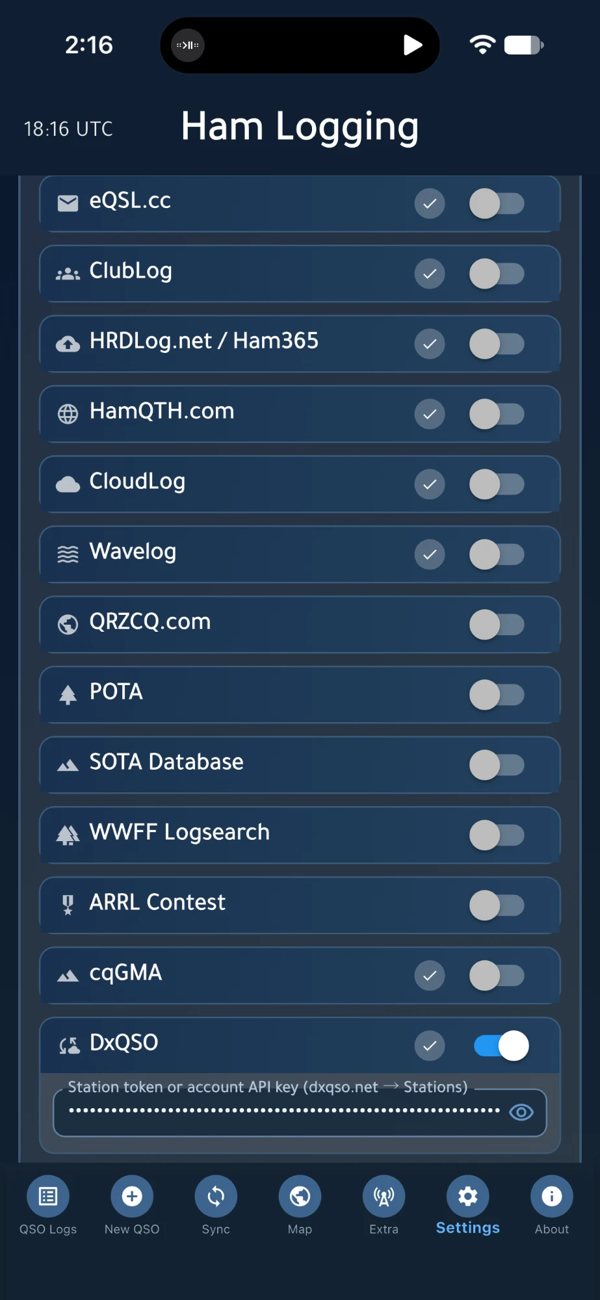
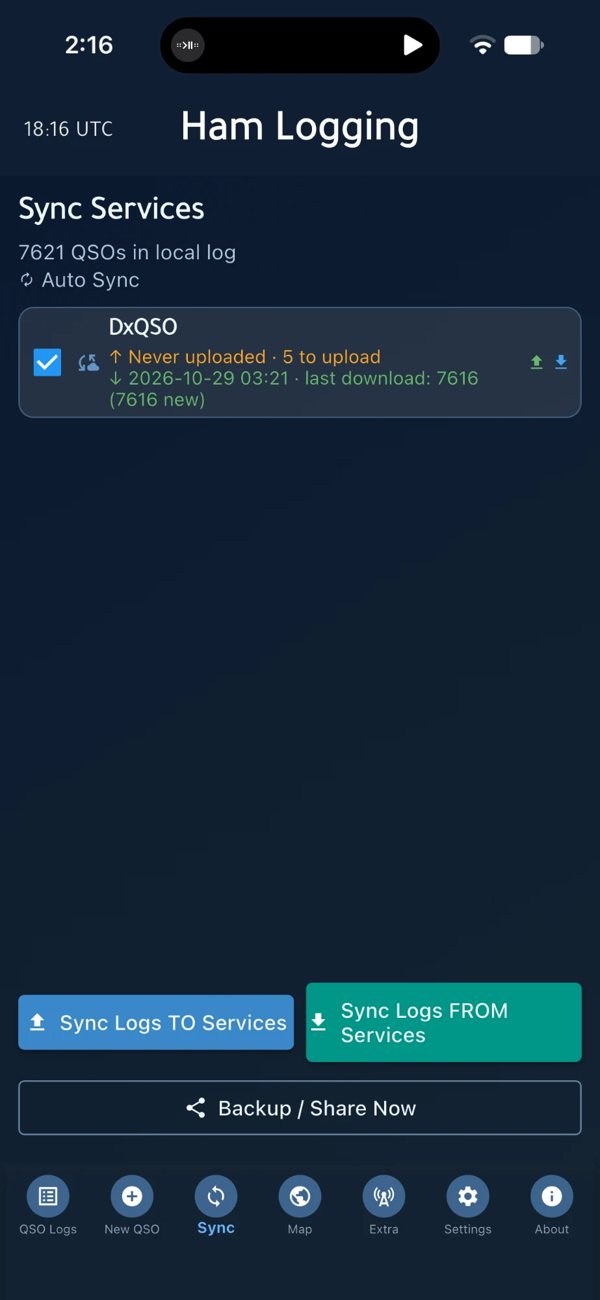
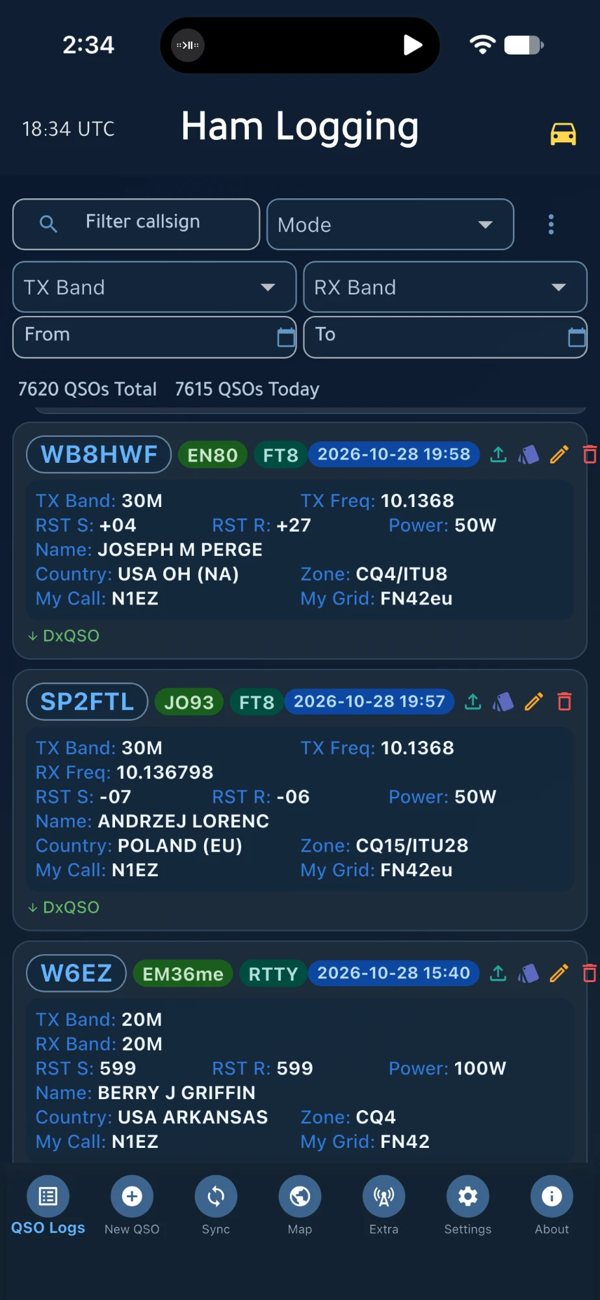
Yousuf has been careful about the details. Background downloads run at most hourly and only on Wi-Fi. A deletion in DxQSO never deletes anything in your app. When DxQSO is busy, Ham Logging waits and tries again later rather than hammering the server. These are the decisions of someone who has thought about your log, and our servers, at the same time.
Why the two belong together
Ham Logging is what you use while you are operating. DxQSO is what keeps working when you are not. Once your contacts are in DxQSO:
- Your QSLs find you. The moment LoTW or QRZ confirms a contact, your phone tells you, wherever you are.
- You know what you still need. DXCC, states, grids and POTA parks, and when something you need is on the air.
- Your club sees it too. On DxSocial, your friends and club can follow your activity and achievements, with leaderboards that keep things friendly and competitive.
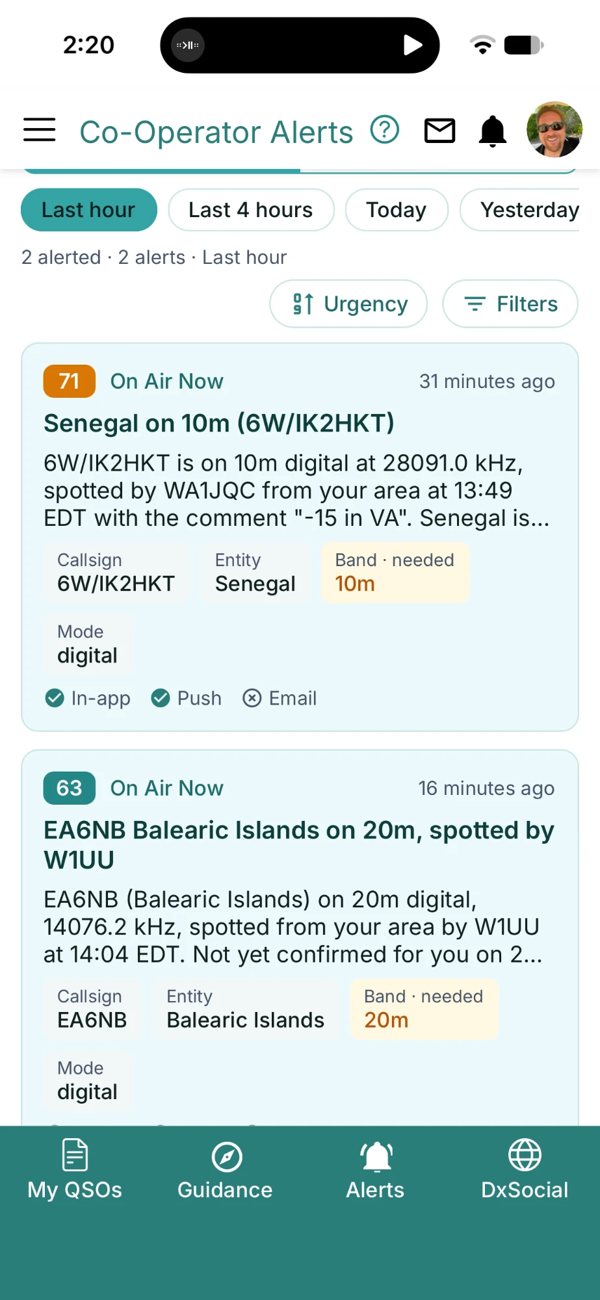
And because DxQSO is one living record, it doesn’t matter where a contact was logged. Your Ham Logging contacts sit beside the ones from your shack logger, your contest software or your remote station.
Getting started
- Install or update Ham Logging from the App Store or Google Play.
- On dxqso.net, open your Stations and create a station token for the station you log from. Station tokens are available to DxQSO Members.
- In Ham Logging, add DxQSO as a sync service, paste the token, tap Test, then Sync.
- In DxQSO, turn on LoTW and QRZ Pull so your confirmations come back to DxQSO, and from there into Ham Logging.
One route to LoTW and QRZ. Ham Logging can upload to LoTW and QRZ itself, and DxQSO can forward your contacts to them too. Pick one. If DxQSO sends your contacts to LoTW and QRZ, let it do that job and leave Ham Logging’s direct upload off for those services. Ham Logging’s own manual gives the same advice.
Thank you, Yousuf
Ham Logging is built on the open DxQSO API, and Yousuf tested it more thoroughly than almost anyone before him: read-only and read-write keys, adds, edits and deletions, and the edge cases most people never reach. Along the way he found things that made the API better for every developer, and we fixed them. That is exactly how we hoped partnerships would work.
If you build ham radio software and would like to connect it to DxQSO, the developer page is the place to start, or get in touch. And if you’re an operator looking for a capable logbook on your phone, give Ham Logging a try. 73!