
We are building DxQSO as an amateur radio communications and collaboration tool that supports logbook applications. Our mission is to empower these applications to provide more features and functionality from within their apps that improve collaboration and grow the excitement and fun of this hobby!
Our initial product includes:
Improving the LoTW experience (and reducing the support load on the ARRL)
Automatic backup of your TQSL environment as well as all of your QSOs and QSLs from LoTW. Restore TQSL on any PC/Mac by simply downloading DX-TQSL and logging in. Email and push alerts to your phone for new QSLs and new achievements (Worked All States, DXCC and grid-square hunting alerts coming soon).
DxQSO works with all logging applications and their different ADIF output formats. We believe you should not lose data when exporting from your contest/mobile/POTA/remote log and importing into your primary logging application. All your data is saved, and you can import it into any other logging application without losing fields.
You can upload and download your logbooks — whether for a specific contest or POTA activation — through a simple mechanism. Why get lost managing multiple ADIF file formats from different logging applications?
You can upload your logbook data from any platform or application without worrying about duplicating data, since it is all merged without duplicates.
If you have ever transferred an old logbook into a new logging app and lost fields, you can upload both logbook exports into your cloud logbook and restore all the fields in each unique QSO record.
Integrated, real-time cloud logging across logbook apps
We are building an open API for all logging applications to directly access your complete logbook and make real-time changes from within different logging applications simultaneously.
When you work a contest using a contest logger, you should be able to open your primary logging application and see all those contest contacts in your log — without the hassle of exporting and importing and losing data in the process.
When you are mobile, your mobile logging app should have all of your logbook data, so you know whether you have worked a station, country or county before.
When working remote, you should not have to hassle with exporting/importing and keeping all of your logbooks in sync.
That is why we are building a real-time API so your logging applications can immediately receive any new data found in your cloud logbook, and automatically update the cloud logbook with any changes you make locally.
Every logging application you use should have direct, complete access to all your QSOs from any application — whether entered on a mobile, PC or Mac. One cloud log with universal, real-time access.
Access your full logbook from your mobile device
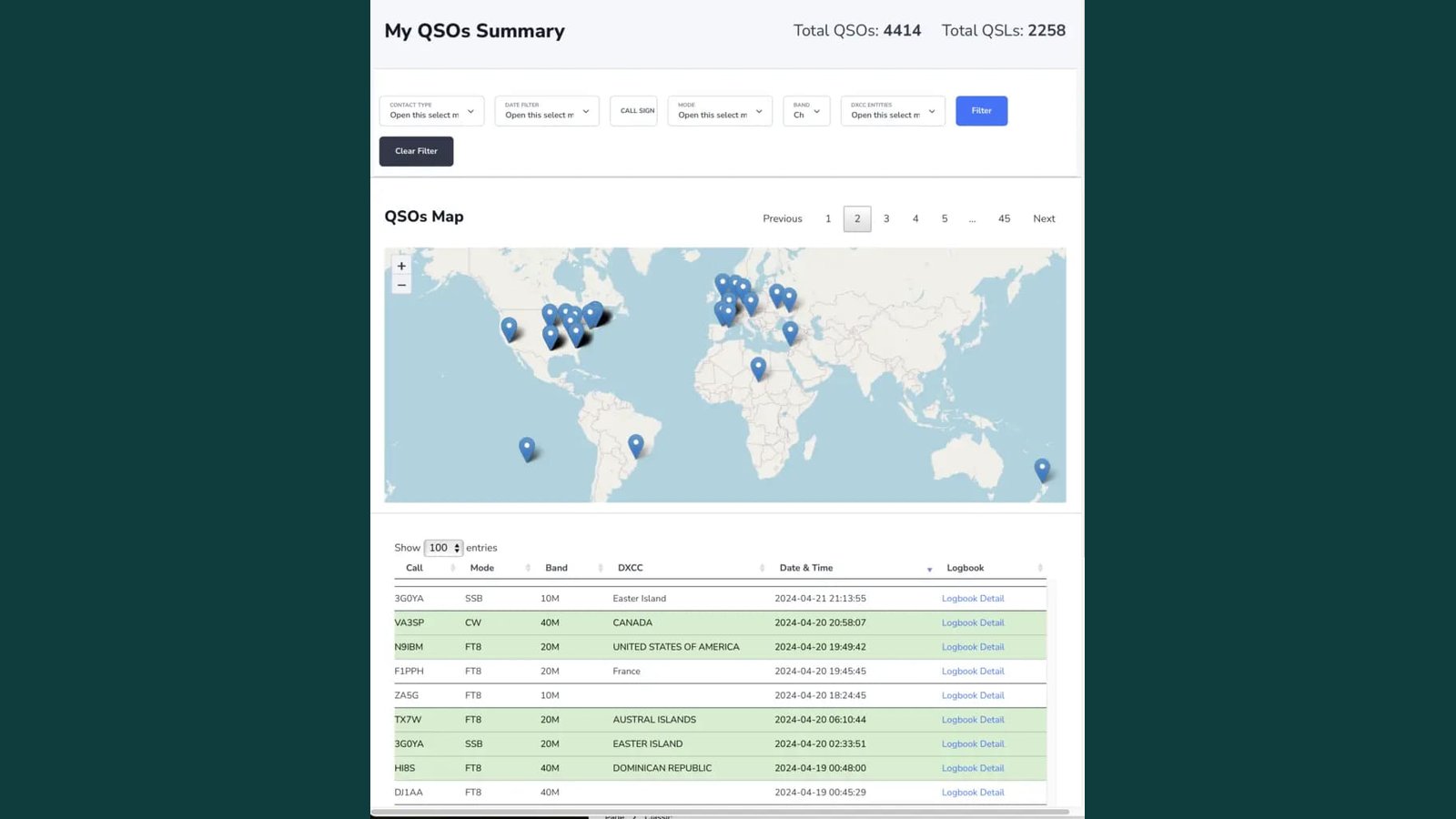
Whether or not you use (or plan to use) LoTW, after you install DX-TQSL your logging application can submit real-time QSOs (depending on your logging app) directly into DxQSO. View your cloud logbook in real time from any mobile device with our native Android and iOS applications.
The DxQSO mobile app provides user-selectable push alerts on new achievements in real time. You can upload new POTA logs from your mobile app and immediately see changes in your cloud logbook and LoTW. Your QSLs are automatically pulled into your cloud logbook from LoTW and appear immediately in the mobile app. New and updated QSOs sent from your PC/Mac logbook appear immediately as well.
Our mobile app lets you view your entire logbook and import any mobile logbook. You can also export your consolidated cloud logbook from the Android or iOS app and import it directly into your logging application.